
Paralives is an indie life simulation video game for PC and Mac. The long-awaited early access version was released this week and, despite a few bugs, the game stands out for its incredible attention to detail.
From the outset, comparisons with The Sims have been almost inevitable. However, the game’s developers have made it clear from the very first moments of gameplay that Melino is an open world with incredible possibilities. In Paralives, players can create and customise characters. Build homes and manage their lives using innovative gameplay mechanics to maintain their complex relationships, skills and jobs.

Detailed character creation: Appearance and personality
One of the most celebrated features in Paralives is the detailed character creation mode. As other simulation games it lets you select a body type, face features and outfit for your character. However, here is where developers took it to the next level as this character customisation includes features and possibilities we have not seen before in other simulation games.
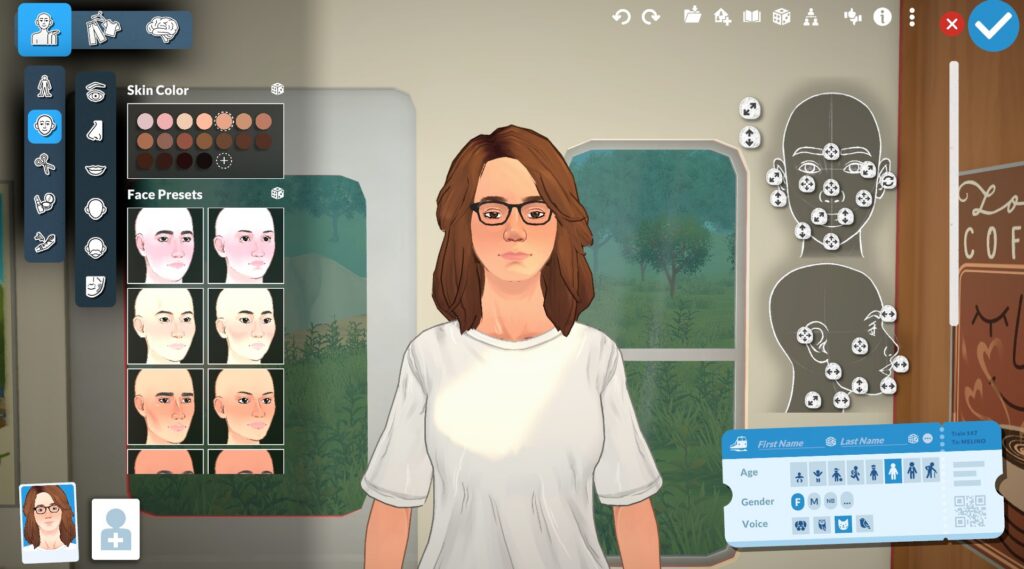
Without modes and cheats, Paralives presents some elements that are innovative and refreshing to the player:
- Edit facial features: every aspect of your character’s body and face can be edited, adjusted and detailed to an extent that surprises even the most seasoned gamer. Due to the limits of early access there are some aspects, like tattoos, where we only can select between a short list of designs. However, the early access version is incredibly detailed.
- Adjust high: One of the big surprises of the game. Finally a life simulator lets you adjust and edit your character’s high. This has been one of the most praised features in early access.
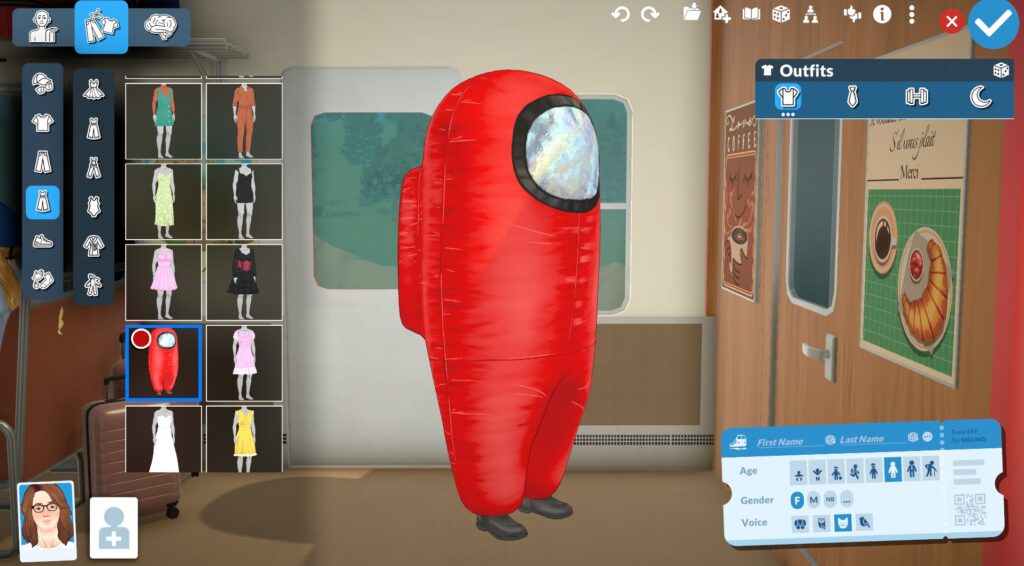
- Detailed and layered outfits: For clothing pieces that contain layers, such as a top with a jacket, you’ll be able to select the top’s design. Not colour, the entire design. Which means that you can change a tanktop to a t-shirt, or a croptop, even if the entire piece includes another layer of a different piece of clothing. In this catalogue, you can also find fun outfit collaborations.
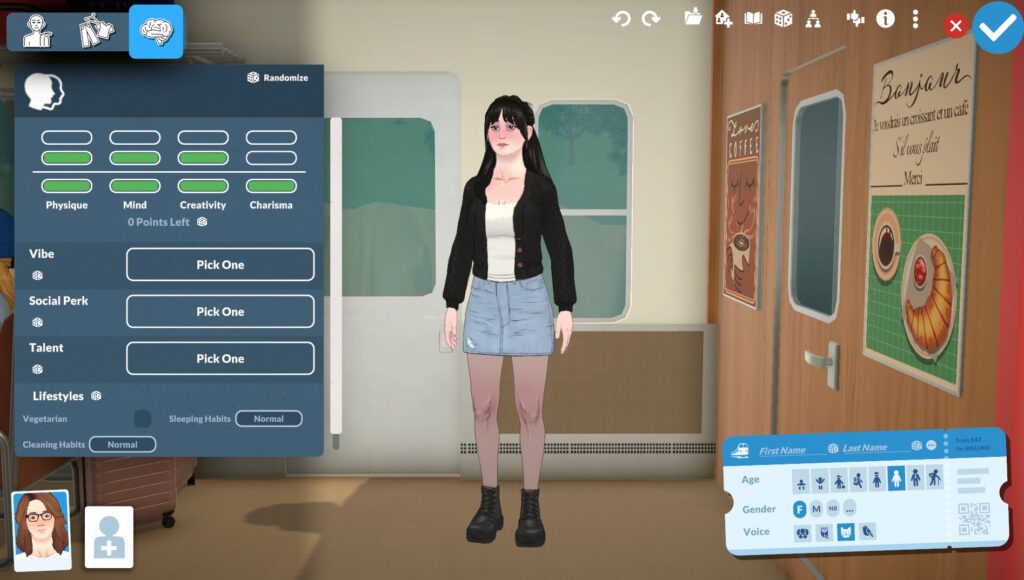
Moreover, personality customisation includes traits like Vibe, Social Perk, and Talent. At the top of the chart you have seven “points” you can use to define broad aspects of your character’s personality such as: Physique, Mind, Creativity, and Strength. You’ll also be able to select your character’s sleeping habits and cleaning habits.
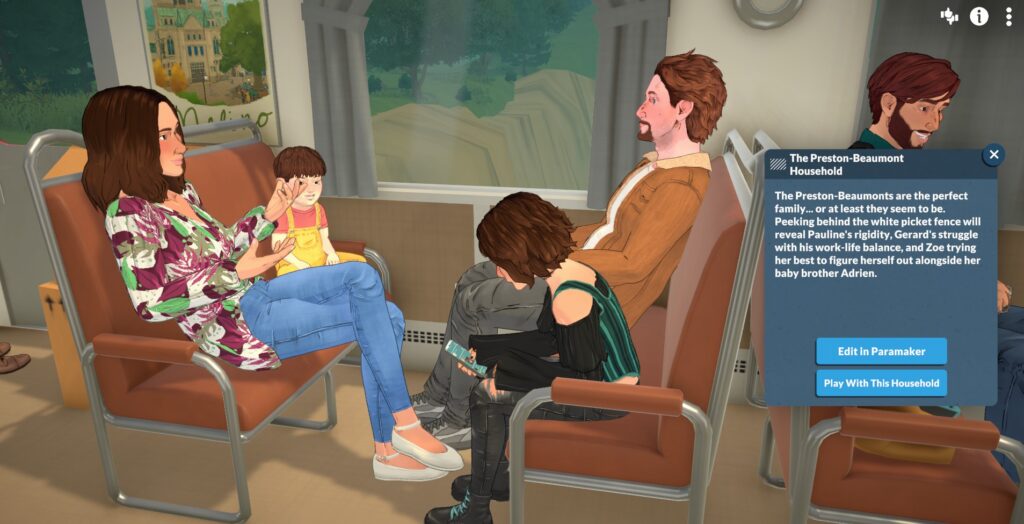
A complete cast of NPCs in Paralives
Another option is to play one of the households already existing in Melino. These parafork can be selected on the train and every household presents a unique and detailed background story and presentation. You can edit their physical appearance and emotional parametres as if they were original characters too.
Building Mode in Paralives has Endless Possibilities
The building mode is one of the most promising parts of Paralives. A flexible system that lets you adapt not only the size of a room, but the size of the objects and decor too. What in other simulation games can only be achieved by using tricks and cheats, Paralives adds it as a feature.
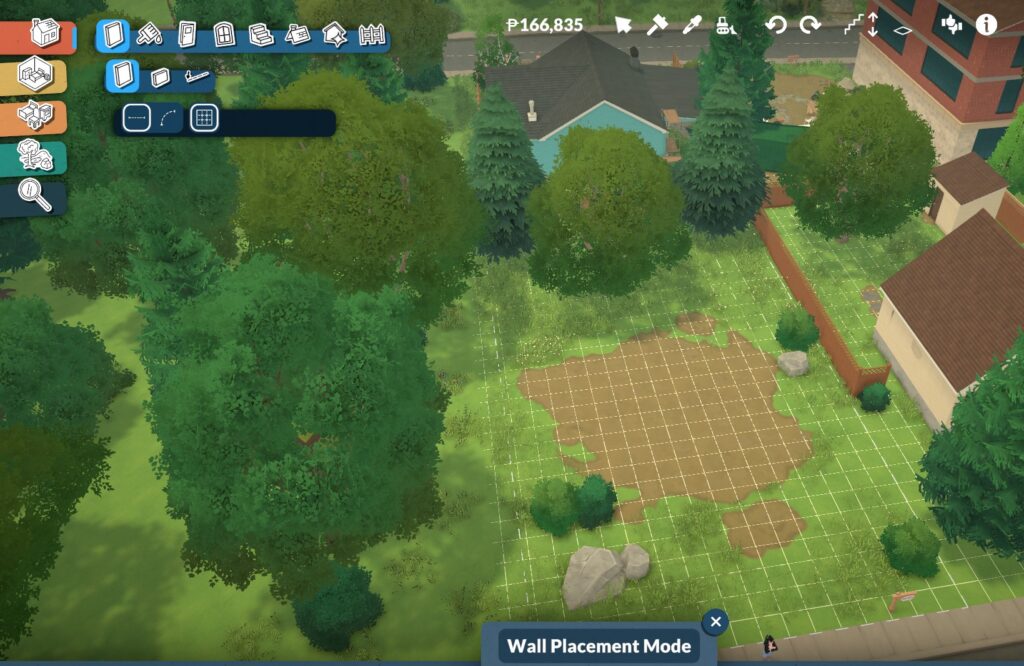
Once you access building mode the building mode menu will appear on the upper-left side of the screen. Using this menu you’ll be able to build walls, half walls and curved walls. There is also a feature called separator that divides the space of the rooms so you can use different paint, floors and decor.
Furniture is divided into two menus, one by room and the second by type of furniture. A Plant and texture menu to decorate the outside of your character’s home, and a search menu in case you do not find what you are looking for.
The Long-Awaited Curved Walls
Building curved walls is one of Paralives’ major innovations. This feature allows players to build and design spaces with curved walls, representing a significant breakthrough in simulation games. As it does not involve a menu or catalogue of pre-designed curved rooms, it leaves the construction process entirely to the player’s imagination, allowing for much more creative designs.
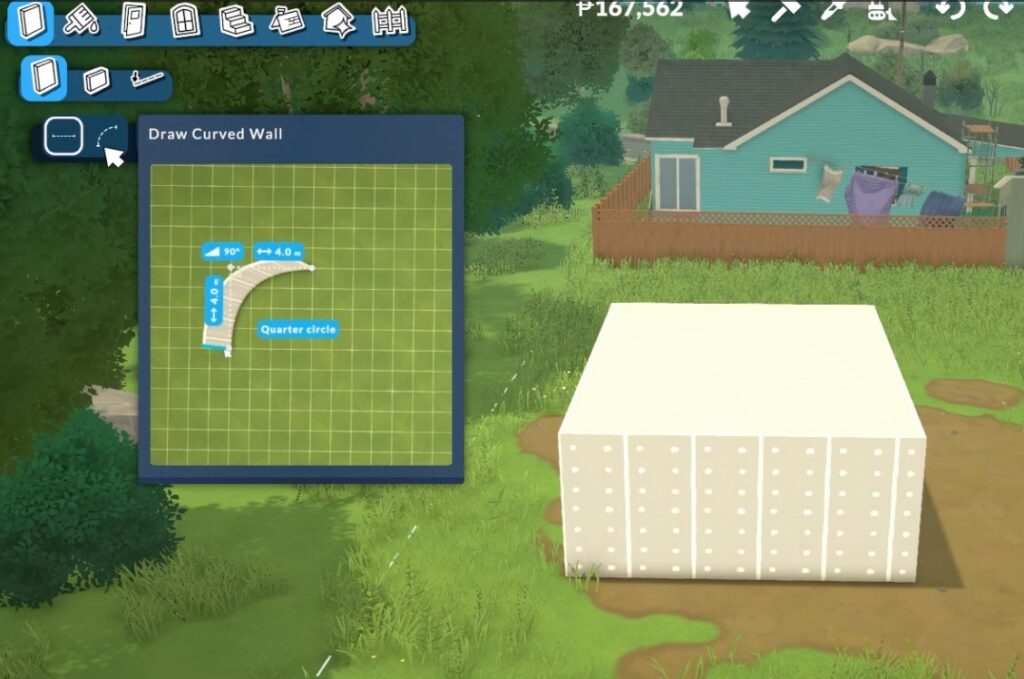
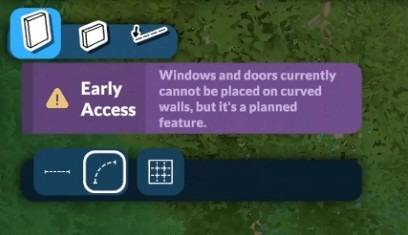
However, we must remember that the game is currently in early access. This means that not all features are available yet. When using curved walls, the game will display a disclaimer. This message informs us that, for the time being, doors and windows cannot be placed on curved walls.
All Cheats in Paralives
To use all cheats, you’ll need to display the cheats and commands console. For this, press CTRL+F1 to open the Paralives command console. Here you’ll only need to enter the chosen cheat and press enter to apply it.
Before all specific cheats, there are some basic cheats that can help you:
- HELP: Displays all cheats in the console.
- CLEAR: Clears all text in the console.
- ALIASES: Shows a list of commands and shortcuts.
- SAVE: To save the game.
- QUITTOMENU: Exits to menu.
- RAGEQUIT: Exists the game.
- UNSTUCK: Adjusts the character’s location pathing.
Money Cheats💸
| Cheat Command | Effect |
| PIGGYBANK | Gives you 1,000 Paradimes. |
| MAKEITRAIN | Gives you 10,000 Paradimes. |
| JACKPOT | Gives you 50,000 Paradimes. |
| LOTTERY | Gives you a random quantity of money between 1 and 100,000. |
| PAYDAY | Gives you one day of salary. |
| PRINTMONEY[quantity] | Gives you the specified amount of money. |
| SETMONEY[quantity] | Sets the household’s money to the specified amount. |
| GENERATEBILL | Generates an updated bank statement and sends it to the mailbox. |
| CLEARBILLS | Clears all bills from the mailbox. |
| CLEARESELECTEDCHARACTERSBILLS | Clear all bills from a selected character from the mailbox. |
Character Cheats👤
Customisation💡
| Cheat Command | Effect |
| EDITCHARACTER | Lets you access character creation to edit the appearance of your character. |
| SHOWPERSONALITYTRAITS | Displays the Mind, Charisma, Creativity and Physique values in the console. |
| RESETPERSONALITY | Resets the personality to level 1. |
| LEVELUPPERSONALITY | Adds a level to the character’s personality. |
| SHOWSTATUSEFFECTS | To display the current status effects in the console. |
| CLEARSTATUSEFFECTS | Clears status effects. |
| CLEARSTATUSEFFECTSONALLCHARACTERS | Clears all status effects to all characters. |
| GAINSTORYCARD | Adds one story card. |
| SETSELECTEDCHARACTERSONFIRE | Sets the selected character on fire. (yes, it works) |
| EXTINGUISHSELECTEDCHARACTERSONFIRE | Extinguishes the fire on the selected character. |
Age👵
| Cheat Command | Effect |
| SETAGE[number] | To change your character’s age to the specified number. |
| NEXTLIFESTAGE | Levels up the life stage to the next level. |
| PREVIOUSLIVESTAGE | Levels down the life stage to the previous level. |
| NEXTGROWYHSPURT | Triggers growth in infants and teens. |
| PRINTAGE | Displays the character’s age in the console. |
| KILLCHARACTER | Kills the selected character |
| REVIVEALLSELECTEDCHARACTERS | Revives all selected characters. |
Needs❤️🩹
Needs in paralife:
- Affection
- Hunger
- Fun
- Sleep
- Grump
- Hygiene
- Peace
- Bathroom
- MeTime
- EnergySurplus
- GetAwayFromFire
- NeedToMove
| Cheat Command | Effect |
| SETNEED[need + level] | Sets a specific need with a specific level. |
| SHOWNEEDS | Shows all needs and its levels for a selected character. |
| CHANGENEED[need + level] | same as “SETNEED”. Sets a specific need with a specific level. |
| RELIEFNEED[need] | Reliefs a specific need. |
| DECAYNEED[need + level] | Decays the level of a specific need. |
| RELIEFALLNEEDS | Reliefs all needs. |
| RELIEFALLNEEDSOFALLCHARACTERS | Reliefs all needs for all characters. |
Relationship Cheats😍
| Cheat Command | Effect |
| SHOWCHARACTERRELATIONSHIPS | To display all of the selected character’s relationships. |
| BECOMEACQUAINTANCEWITHEVERYONE | To establish the acquaintance relationship for all characters in town |
| KICKCURRENTHOUSEHOLDINTONEWHOUSEHOLD | To kick a selected character from a household and put them into another household. |
| ADDSELECTEDCHARACTERSTOHOUSEHOLD | Adds a selected NPC to your current household. |
Career Cheats🧑🚀
| Cheat Command | Effect |
| PRINTALLOCCUPATIONS | Displays all occupations your character holds. |
| PRINTALLPOSSIBLEEXTRAFOROCCUPATION | Displays the names of all career benefits available for the selected character profession. |
| PRINTNUMBEROFEXTRASFOREVERYOCCUPATION | Displays all upgrade paths for every occupation in the console. |
| CLEARALLOCCUPATIONS | Clears the selected character from all occupations. |
| ADDVACATIONDAY | Adds a vacation day to the selected character. |
| ADDSTRIKETOOCCUPATION | Adds strikes to the occupations of a selected character. |
| CLEARSTRIKE | Clear strikes from the occupations of a selected character. |
| ENDWORKDAY | Ends the work day for the selected character. |
| UNENROLLFROMALLOCCUPATIONS | To unenroll your selected character of all their occupations. |
Pregnancy Cheats🧑🍼
| Cheat Command | Effect |
| GETPREGNANT | Make the selected character pregnant. |
| MAKEBABIES | Have two selected characters have a baby. |
| PREGNANTSTATUS | Check the character’s pregnant status. |
| GIVEBIRTH | Make the selected character give birth. |
Lot/Household Cheats🏡
| Cheat Command | Effect |
| CAUSEOUTAGE | Cuts the power from the selected lot. |
| FIXOUTAGE | Fixes the power outage for the selected lot. |
| RETAIRALLITEMS | To remove all broken state from items. |
| UNSPOILALLITEMS | To remove all spoil state from items. |
| TOGGLEEDITTOWN | Special mode to edit the town. |
| SETITEMONFIRE | Sets a selected item on fire |
| EXTINGUISHALLFIRES | Extinguishes all fires |
The Grand Addition to the Life Simulation Games
Paralives has made a spectacular entrance into the life simulation video game sector. The possibilities it offers players to customise and edit their world are a breath of fresh air. The game has been warmly received by the gaming community, in a genre that is highly accessible to both experienced and casual players alike. You can now add Paralives to your gaming CV and find other players who also enjoy playing this game. Follow us for more guides, lists of tips, news and much more.
Game on!💫